Amazon - Editing a Product Listing
Overview
Edit your Amazon product listings from within LinkSyncSell. Amazon has a few important differences compared to other platforms - particularly around listing status - so be sure to read the notes below.
Prerequisites
- Amazon Seller account connected in Connect Platforms
- An active subscription (product editing and posting require an active plan)
Steps
- Go to Catalog > Product Attribute Editor
- Select the Amazon tab
- Find the product you want to edit
- Click the product to open its editor
- Make your changes in the relevant sections
- Choose how to save
Editing Sections
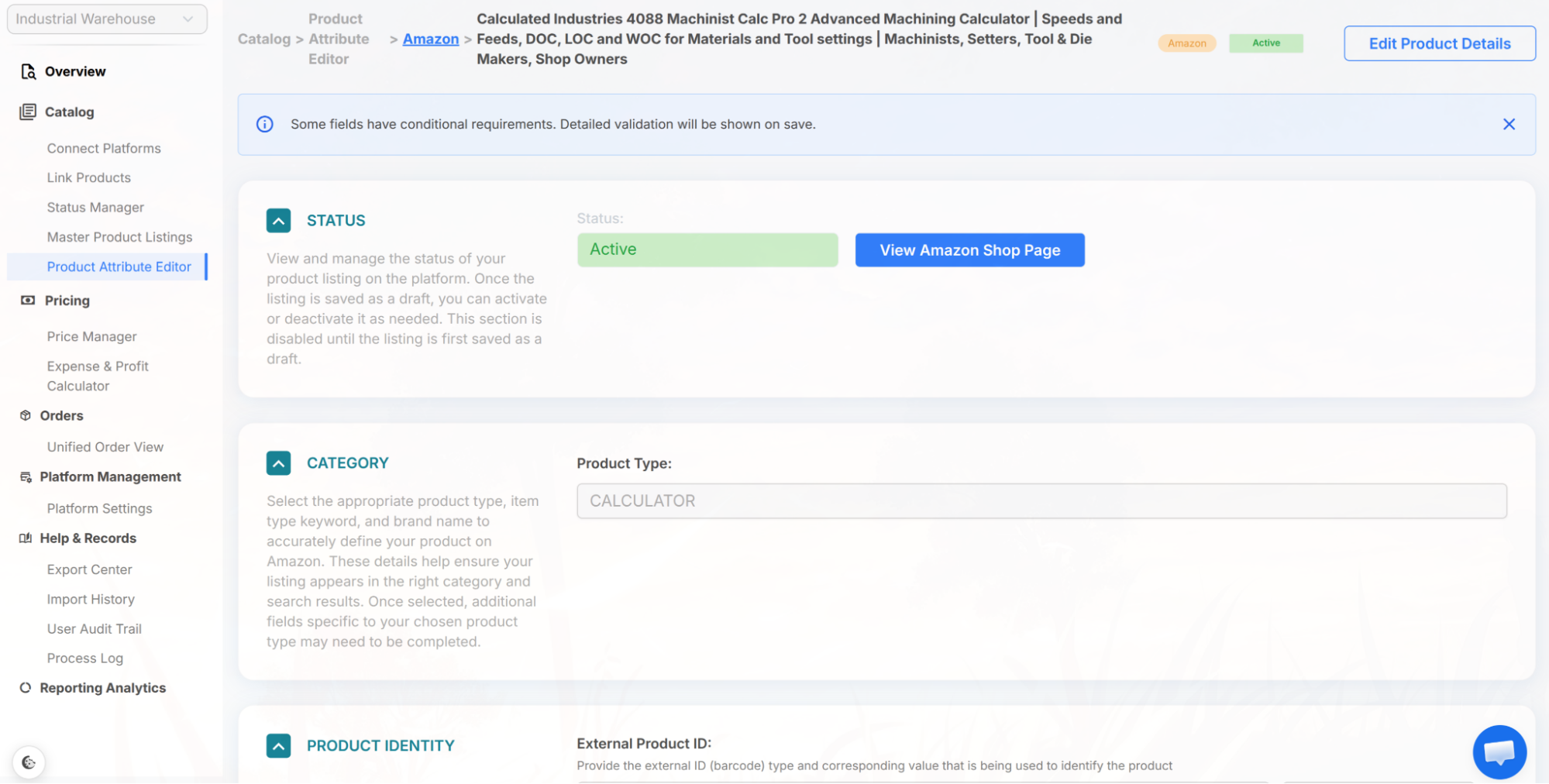
Unlike the other platforms, the Amazon editor isn't a fixed form. After you select a product type (category), LinkSyncSell pulls that product type's schema directly from Amazon and builds the editor from it. This means the exact fields, which ones are required, and even which sections appear all depend on the Amazon category you're listing in - Amazon defines them, not LinkSyncSell. Category-specific validation runs when you save.
Depending on the product type and on whether you're editing an existing offer or creating a new listing, you may see sections such as:
- Status - read-only. Amazon controls listing status (see the note below). Includes a View Amazon Shop Page button.
- Category - the Amazon product type / browse node. Read-only when editing an existing listing; it can only be set when creating a new listing from scratch.
- Product Identity - brand, item type keyword, and product identifiers (ASIN, SKU, EAN, etc.)
- Product Details - title, bullet points, description, and the category-specific attributes Amazon requires for that product type
- Images - product catalog images (shown when creating a new listing or editing full catalog details). For an existing offer you edit offer-specific images, and only for used or refurbished conditions.
- Variant Fulfillment & Shipping - offer details such as price and condition, inventory/fulfillment, and shipping (package weight and dimensions). This section also includes internal Min/Max Price Rules, which are used only inside LinkSyncSell for alerts and are never sent to Amazon.
- Product Safety & Compliance - safety documents, certifications, or labels required for the category
Important: Amazon Status Limitations
Saving Your Changes
Amazon supports fewer save options than the other platforms - there is no "Save as Draft on Platform" for Amazon:
- Save Local Draft (App) - saves your changes in LinkSyncSell only; nothing is sent to Amazon. This appears for listings that aren't on Amazon yet.
- Save & Post to Amazon - saves and pushes your changes to Amazon.
Other Actions
- Duplicate Listing - creates a copy of this listing.
- Abandon Changes - discards unsaved edits.
- Delete Product Listing - removes the listing from LinkSyncSell only. Available for listings that exist just in the app and aren't published to Amazon.
Tips & Notes
Troubleshooting
Listing status won't change.
This is expected for Amazon. Listing status is controlled by Amazon, not by LSS or any third-party tool. Manage your listing status directly in Amazon Seller Central.
Update fails after posting.
Verify your Amazon Seller account is still connected in Connect Platforms. Then check the Process Log for specific error messages.
