Custom Permissions
Overview
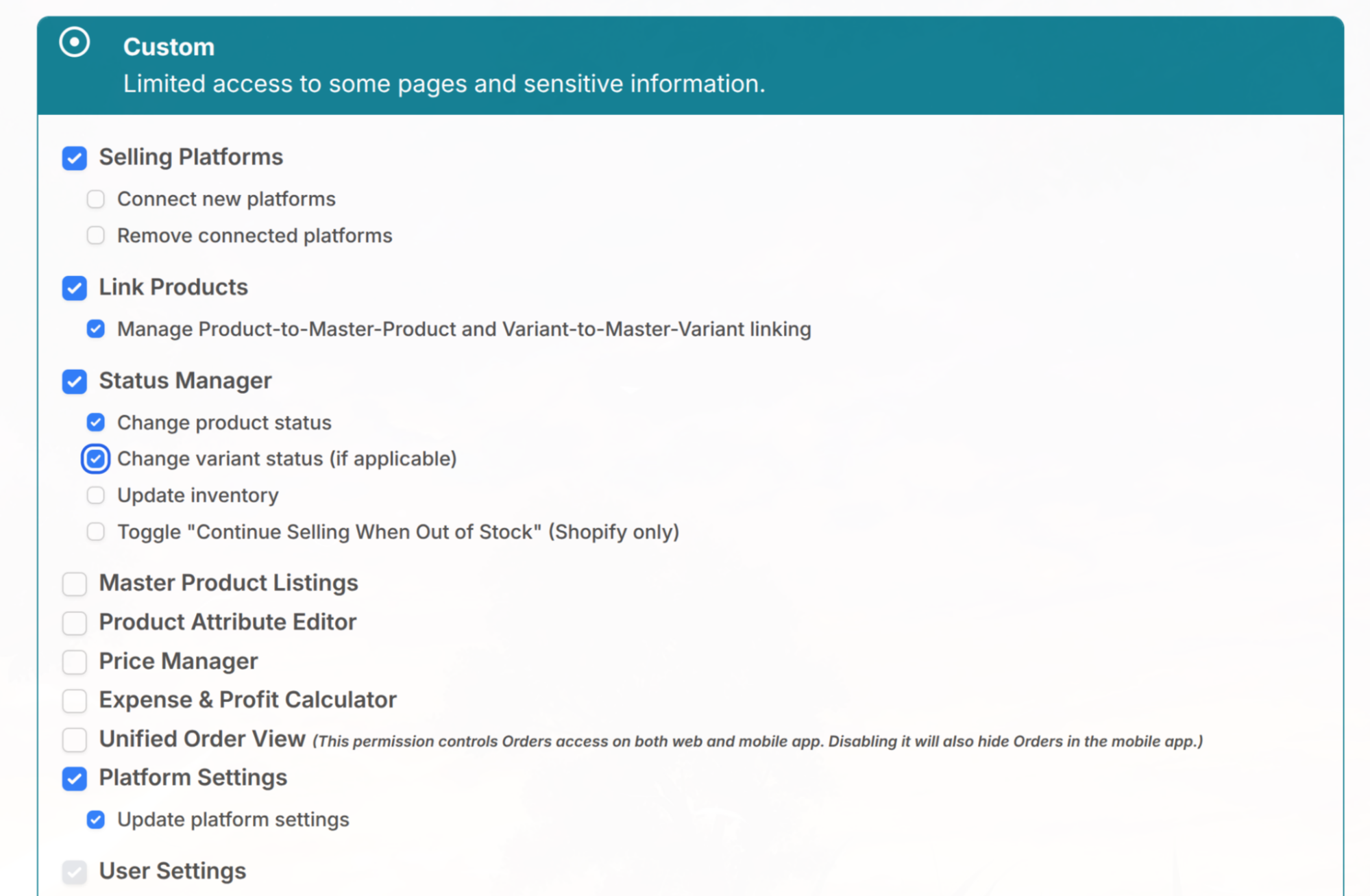
Custom permissions let you give a team member access to only the parts of LinkSyncSell they need. You grant access page by page and choose which actions they can take on each page.
How Custom Permissions Work
When you invite a user (or edit an existing one) and choose Custom access, you assign permissions in two layers:
- Page access. First, grant access to a page (for example, Status Manager or Price Manager). A user cannot use a page's actions unless you have given them access to that page.
- Actions on that page. Then choose which actions they can perform on it. Examples of actions include: Connect new platforms / Remove connected platforms, Manage product-to-Master-Product and variant-to-Master-Variant linking, Change product status / Change variant status, Update inventory, Update price.
Good to Know
- Some actions are shared across pages. If you select a shared action on one page, it is also reflected on the other page that uses it. However, access to each page must still be granted separately. Checking a shared action does not automatically open every page that includes it.
- Build the permission set around the person's actual job. A fulfillment teammate might get the Unified Order View and the ability to update status and inventory, but not pricing or billing.
Tips & Notes
💡
A common Custom setup is "operations" access: Status Manager and Unified Order View with update inventory and status, but no Price Manager, Plan & Billing, or User Management.
📝
By default a Custom user cannot manage other users or change the plan, but you can grant those permissions (User Management, Plan & Billing) if the person needs them - only the Admin Owner can grant Plan & Billing. The one action that can never be assigned to a Custom user is transferring account ownership, which always stays with the Admin Owner.
