Overview of the Link Products Page
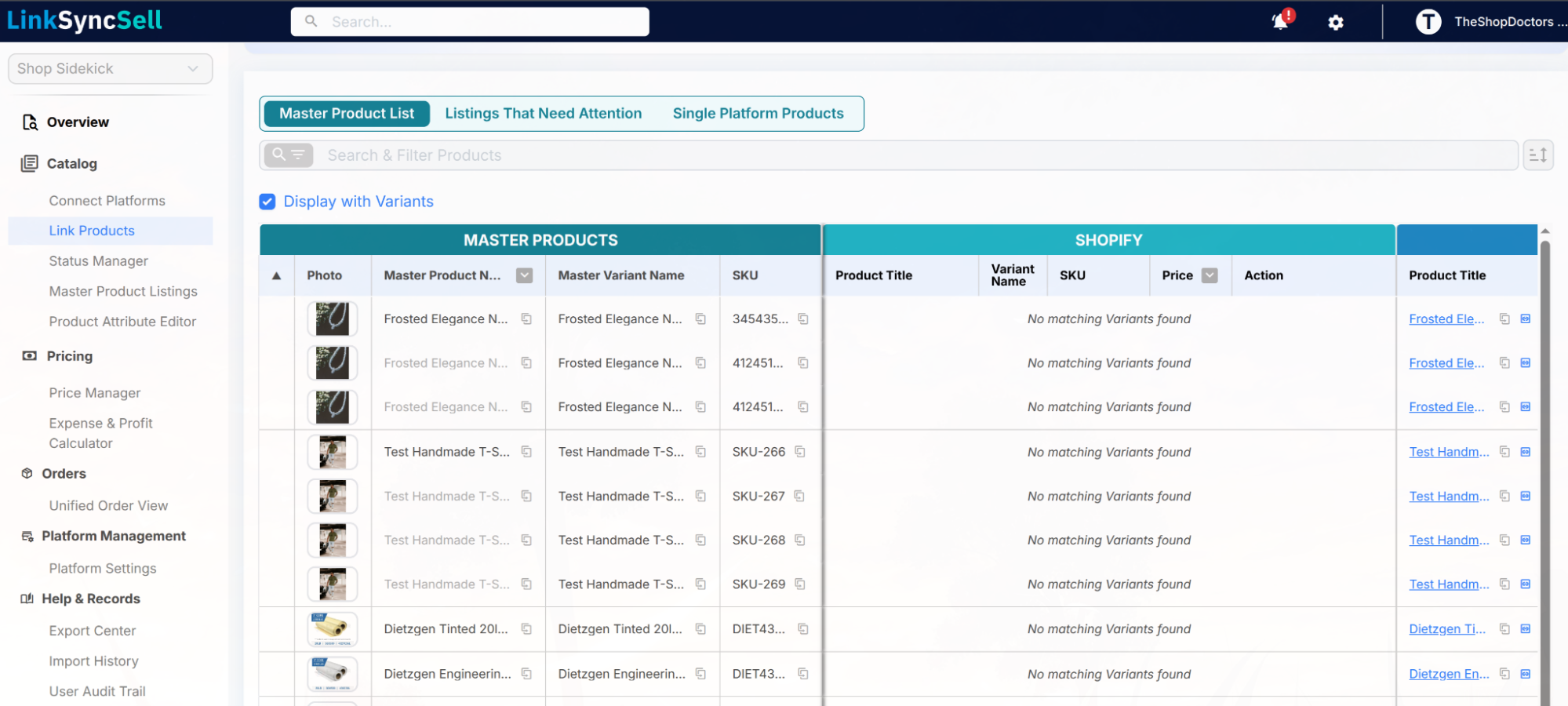
Overview
The Link Products page is where you review and manage how your platform listings are grouped into Master Products. Every listing imported from a connected platform is auto-linked to a Master Product: if its SKU matches a listing on another platform they are grouped together, and if its SKU is unique (or the platform is your first connection) it gets its own new Master Product. Only listings whose SKU is blank or duplicated within the same platform can't be placed automatically - those land here for you to resolve.
You'll find Link Products in the left sidebar under Catalog > Link Products.
What this page is for
- Confirm that your listings across platforms are correctly grouped under the right Master Products.
- Resolve listings that couldn't be auto-linked because their SKUs were blank or duplicated.
- Identify products that exist on only one of your connected platforms.
- Move a listing to a different Master Product, unlink it, or create a brand-new Master Product for it.
The three tabs
The page is organized into three tabs, each with a specific purpose:
- Master Product List: your full catalog of Master Products, showing every linked Platform Listing per platform on a single row. This is the default tab.
- Listings That Need Attention: listings that LinkSyncSell could not auto-link, usually because the SKU is blank or duplicated on the platform. From this tab you can resolve items one by one, or use the Create New Master Product For All button to generate a separate Master Product for every listing in the list at once. When any listings need attention, this tab is flagged with a red alert icon.
- Single Platform Products: Master Products that exist on only one of your connected platforms. Useful for spotting items you might want to expand to other channels, or platform-specific products you keep intentionally limited.
Why keeping linking organized matters
Bad or missing links cascade into other tools:
- Status Manager can't keep inventory in sync between platforms if the listings aren't linked.
- Price Manager can't push the same price to multiple channels if it doesn't know they're the same product.
- Reporting counts the same item twice if two listings aren't linked to one Master Product.
Spending a few minutes on Link Products after each platform connection or large import keeps the rest of LinkSyncSell accurate.
