User Audit Trail
Overview
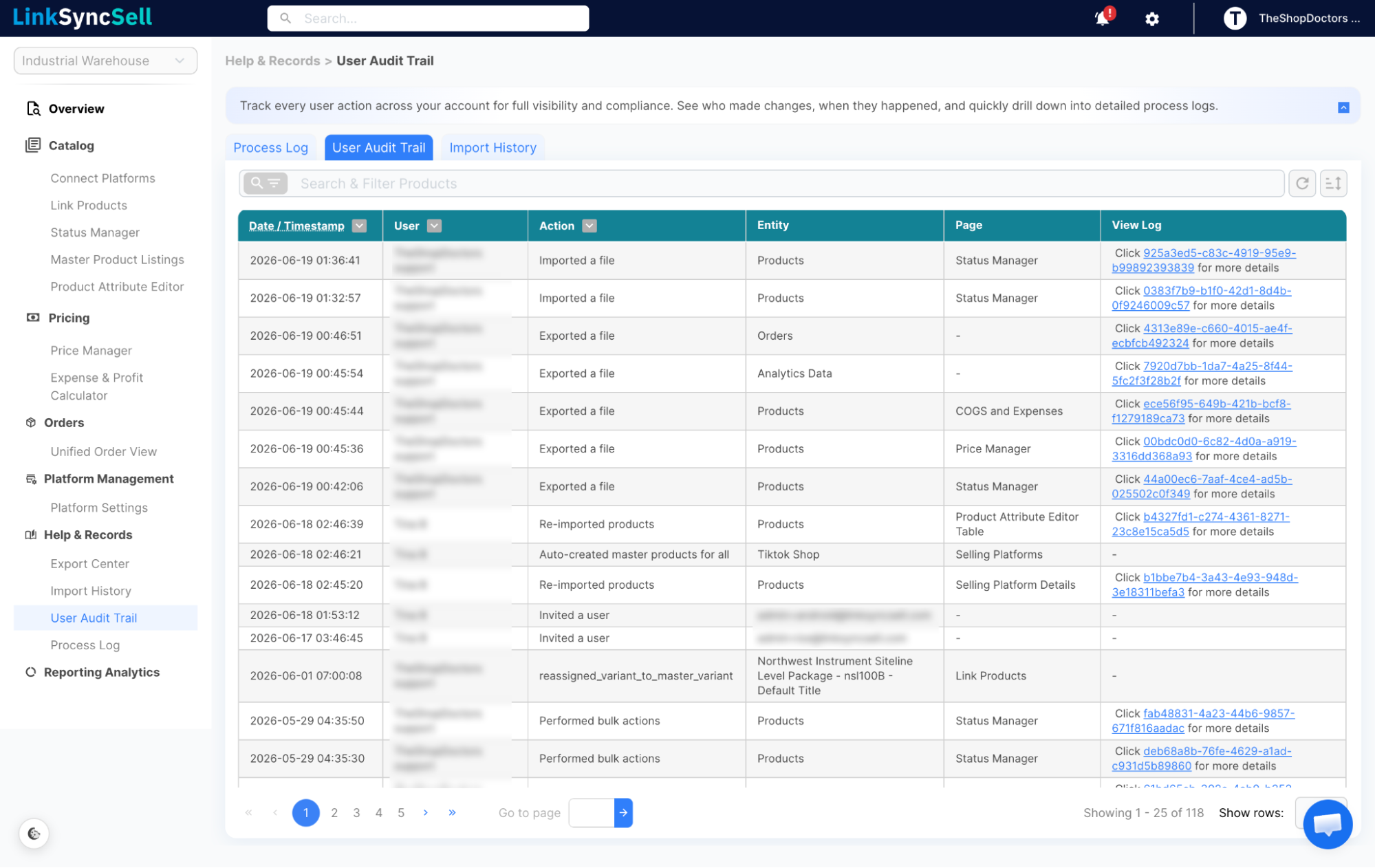
The User Audit Trail is a chronological record of every action taken by users in your account. It's primarily used for accountability - to know who did what and when - and for troubleshooting unexpected changes.
How to Access
Navigate to Help & Records → User Audit Trail in the left sidebar.
What You'll See
Each entry in the audit trail includes:
- Date/Timestamp - when the action occurred
- User - which team member performed the action
- Action - what they did (e.g., bulk price update, status change)
- Entity - what was affected (product, variant, order, etc.)
- Page - which section of the app the action came from
- View Log - link to the related Process Log entry for full detail
Filtering & Searching
Use the filter and search tools to narrow down the audit trail by:
- User - useful for reviewing one team member's activity
- Action - find all instances of a specific type of change
- Date/Time range - focus on a specific window
You can also sort by any column.
When to Use It
- After an unexpected change to prices, inventory, or status - find out who made the change
- During onboarding of new team members - verify they're making changes correctly
- For compliance or internal review - export the trail as needed
