Export Center
Overview
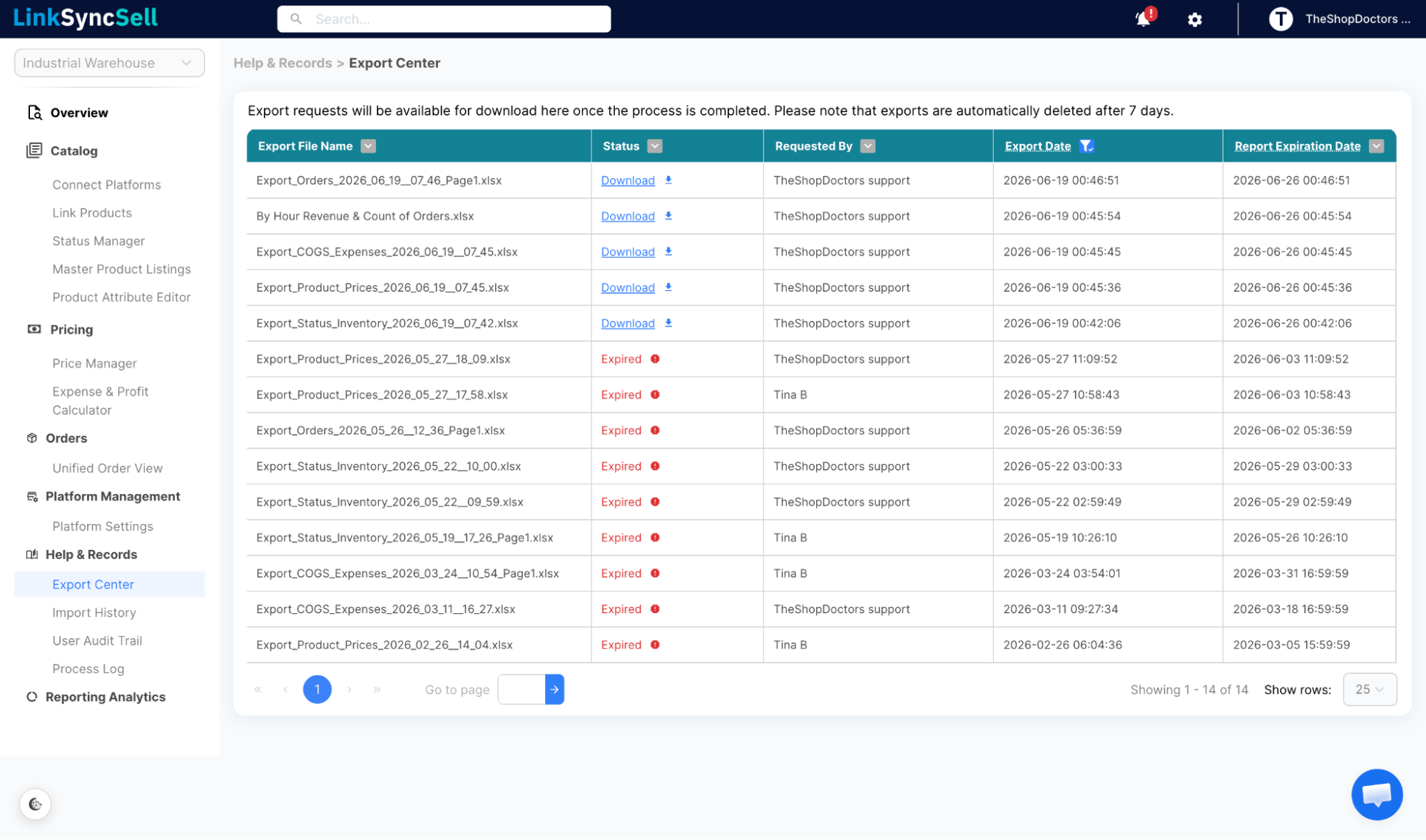
Every time you export data from LinkSyncSell - whether it's orders, prices, products, or expenses - the file is generated in the background and sent to the Export Center. Think of it as your download hub.
How to Access
Navigate to Help & Records → Export Center in the left sidebar.
What You'll See
The Export Center shows a table of all export jobs, including:
- Export Type - what was exported (Status/Inventory, Price, COGS & Expenses, Orders, Analytics Reports)
- Status - Processing, Ready to Download, or Expired
- Requested By - which user triggered the export
- Export Date - when the export was generated
- Expiration Date - exports expire after 7 days, download before then
How to Download
- Find your export in the table
- When Status shows Ready to Download, click the download button
- Save the file to your computer
📝
Export files expire after 7 days. If you need the data after that, re-run the export from the relevant page.
Notes on Timing
Large exports can take a few minutes to generate. The page updates automatically - you don't need to refresh. If an export stays in "Processing" for more than 10 minutes, contact support.
