Faire - Editing a Product Listing
Overview
Edit your Faire wholesale listings and push updates directly to your Faire brand account from LinkSyncSell.
Prerequisites
- Faire account connected in Connect Platforms
- An active subscription (product editing and posting require an active plan)
Steps
- Go to Catalog > Product Attribute Editor
- Select the Faire tab
- Find the product you want to edit
- Click the product to open its editor
- Make your changes in the relevant sections
- Choose how to save
Editing Sections
Faire listings are organized into expandable sections:
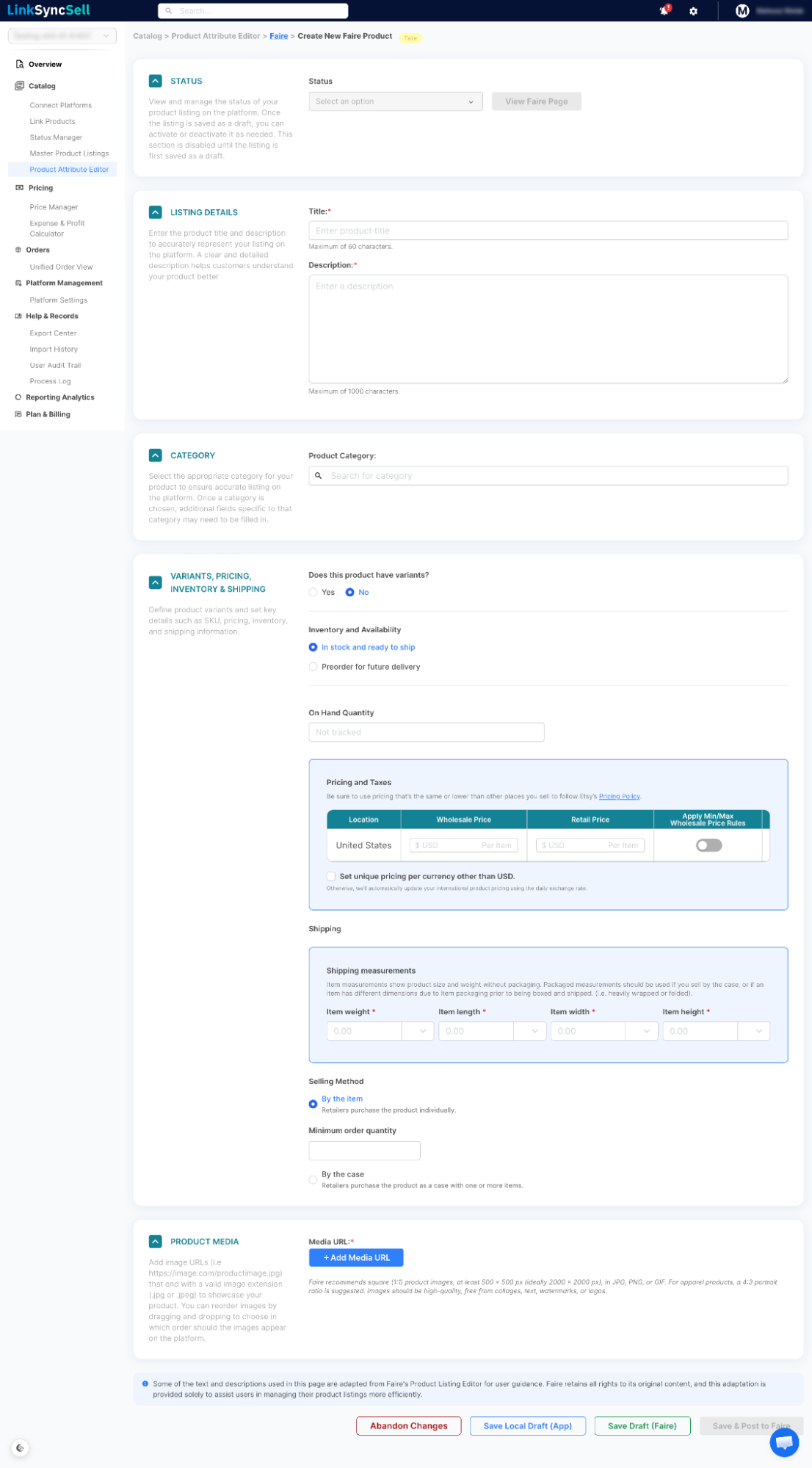
- Status - set the listing to Draft, Published (Active), or Unpublished (Inactive). This section also has a View Faire Page button that opens the live listing on Faire in a new tab.
- Listing Details - title and description
- Category - Faire product category
- Variants, Pricing & Inventory - variant options, Wholesale Price, Retail Price, inventory quantity, plus selling method (minimum order quantity and unit multiplier), shipping (tariff code), and shipping measurements
- Product Media - product photos
For multi-variant listings, each variant has an action menu (the three-dots icon in the variants table) where you can edit the variant, mark it in or out of stock, stop tracking its inventory, Publish or Unpublish it (this controls whether it's visible to retailers), or delete it.
Saving Your Changes
- Save Local Draft (App) - saves your changes in LinkSyncSell only; nothing is sent to Faire. This appears for listings that aren't published to Faire yet (new or local listings).
- Save Draft (Faire) - saves the listing on Faire with its status set to Draft. Available while the listing is still a draft (or not yet published) and you're not switching it to Published or Unpublished.
- Save & Post to Faire - saves and immediately pushes all your changes to your Faire brand account. When you edit an already-published listing, this is usually the only save option you'll see.
Other Actions
- Duplicate Listing - creates a copy of this listing.
- Abandon Changes - discards unsaved edits.
- Delete Product Listing - removes the listing from LinkSyncSell only. Available for listings that exist just in the app and aren't published to Faire.
Tips & Notes
Troubleshooting
A variant isn't showing to retailers.
Check that the variant's visibility is set to visible in the Variant Visibility section.
Price not updating on Faire.
Open the variant's action menu (three-dots icon) in the variants table and make sure it's set to Published. If you just changed it, confirm the change was saved and posted to Faire.
